Windows
 Office
 Project
 Visio
Visio SQL Server
How do I install Office / Project / Visio / Outlook 2021?
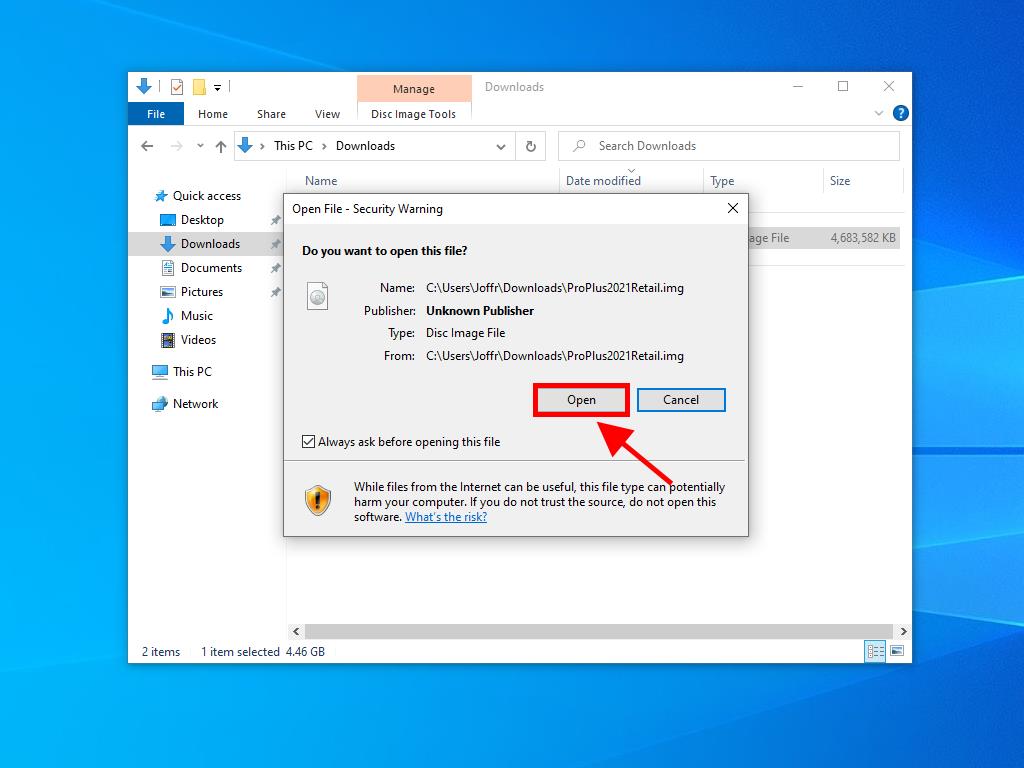
- Once you have downloaded the Office 2021 .iso, locate the file and double-click on it. A box will appear, click on Open.
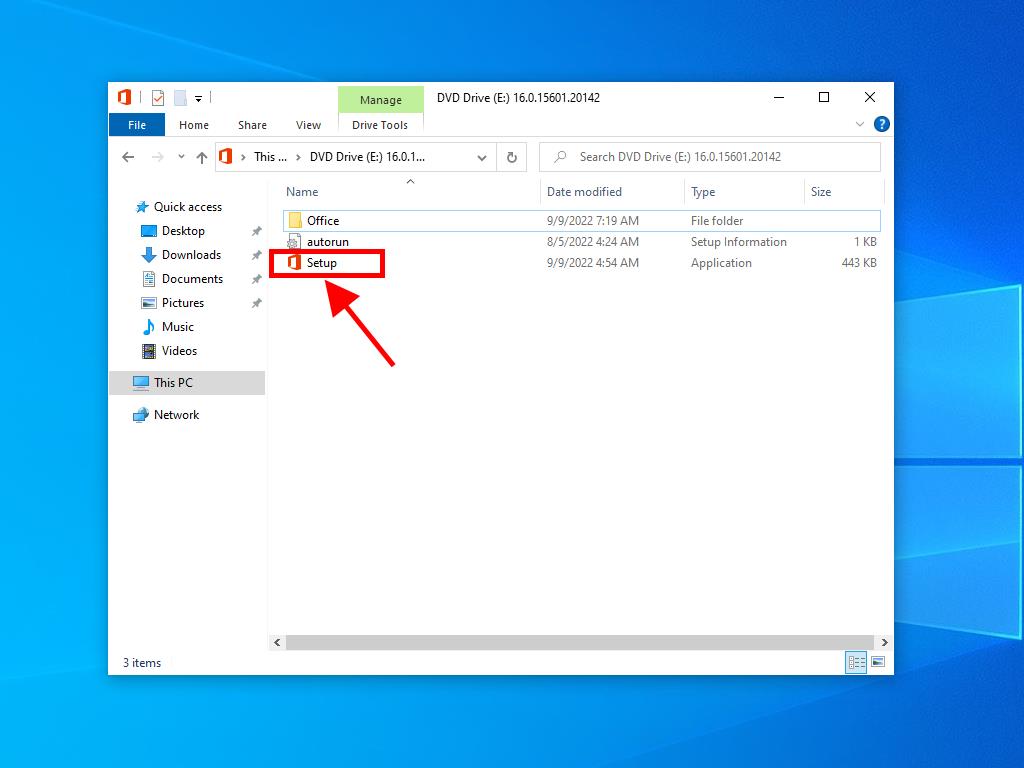
- A window will open, and double-click on the Setup file.
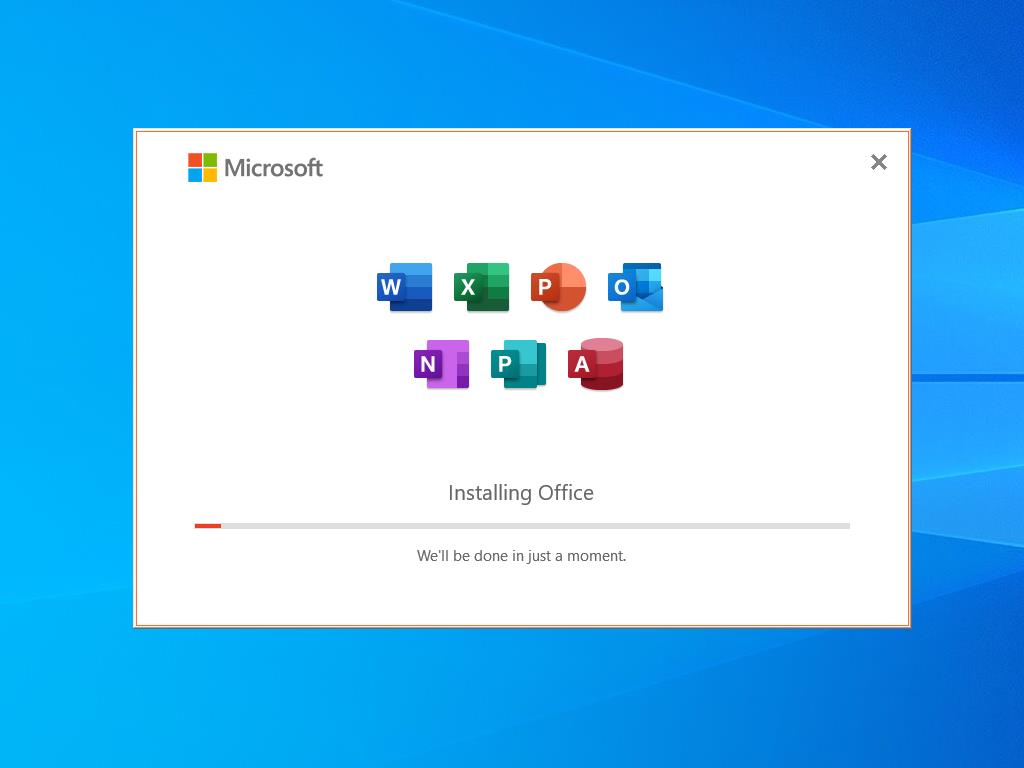
- Wait a few minutes while the product installs.
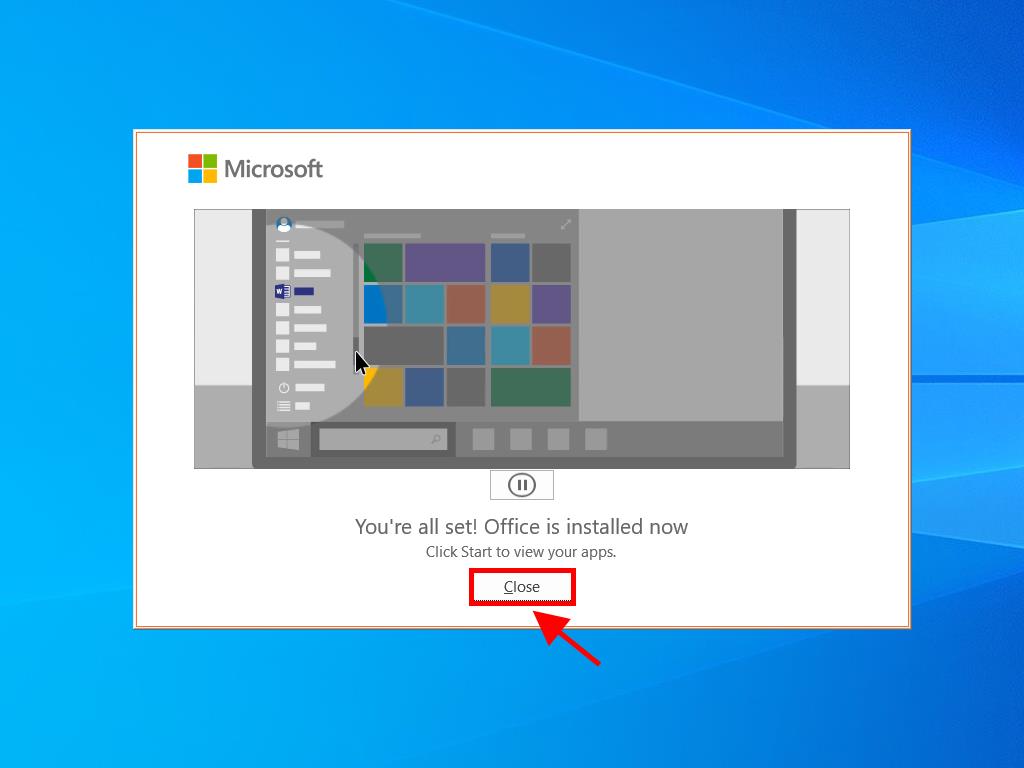
- Finally, click on Close, and your Office 2021 will be installed.