0
  • office_19_hs-angle
  • office_19_hs-big
  • office_19_hs-front
  • publisher-001_345855628
  • publisher-002_1258713050
  • word-001_611793382
  • word-002_831487510
  • excel-001_999633563
  • excel-002_1876337890
  • note-002_2124685111
  • note-001_1778746140
  • ppoint-001_407373395
  • ppoint-002_1770601987
  • acces-001_146300897
  • acces-002_1690419516
    office_19_hs-angle
    office_19_hs-angle
    office_19_hs-big
    office_19_hs-front
    publisher-001_345855628
    publisher-002_1258713050
    word-001_611793382
    word-002_831487510
    excel-001_999633563
    excel-002_1876337890
    note-002_2124685111
    note-001_1778746140
    ppoint-001_407373395
    ppoint-002_1770601987
    acces-001_146300897
    acces-002_1690419516

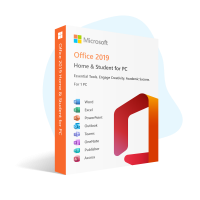
    Office 2019 Home & Student for PC

    Original Perpetual Digital Licence. Immediate Delivery.

    Architecture What is this?

    32 or 64 bits: Which edition should I install?

    When selecting between 32-bit and 64-bit editions, consider your hardware and intended use. Choose 32-bit for unsupported processors or limited memory, and 64-bit for newer computers with over 4GB of memory. Check software requirements, as not all applications work on both. We can help you choose the best option.

    Edition Type What is this?

    What are the differences between Full and N editions of Windows?

    The primary difference between the N and Full editions of Windows lies in their multimedia capabilities, with the N edition lacking certain media-related features due to European Union regulations. Offered at a lower cost, the N edition is ideal for users who don't require built-in multimedia features or prefer alternative media software. To cater to users wishing to expand their N edition functionality, our online store provides access to the Media Feature Pack, enabling them to enjoy a multimedia experience similar to the Full edition, making both options cost-effective and flexible for varying user preferences.

    USD $102.00
    From only

    USD $51.00

    Taxes Included
    Forget about keys that get blocked within a few days;

    Buy Original Software

    Your Purchase Includes:

    License Key

    Unique CD-KEY for You

    Instant Download

    Quick and Easy Downloads

    Invoice

    Get your Proof of Purchase

    Installation Assistance

    We offer 24/7 setup assistance

    Satisfaction Guarantee

    Full Money-Back Guarantee

    Upgrade Your Microsoft Experience! Save with Essential Add-Ons:

    • 🛒 Add 2 or 3 items and enjoy 5% off.
    • 🛒 Add 4 or 5 items and enjoy 7% off.
    • 🛒 Add 6+ items and enjoy 10% off.


    Features
    • Genuine software
    • Reinstallable
    • Multilingual support
    • 24/7 assistance
    • No expiry
    • Lifetime guarantee
    • Permanent updates
    • Installation files
    • Product Key Included
    Minimum System Requirements
    • Operating System: Windows 10 or higher
    • License for: 1 PC
    • Processor: 1.6 Ghz
    • Architecture: 64 Bits / 32 Bits
    • Minimum RAM: 4 GB
    • Minimum HDD: 4 GB

    Main Features

    Office 2019 Home & Student includes the following key features:

    • Word processing with Microsoft Word
    • Spreadsheet creation and management with Microsoft Excel
    • Presentation creation with Microsoft PowerPoint
    • Note-taking and information organization with Microsoft OneNote

    Benefits

    • Access to the latest versions of Microsoft Office applications
    • One-time purchase with no subscription fees
    • Ability to install on one PC or Mac
    • Includes popular applications for productivity and organization
    • Compatible with Windows 10 and macOS

    What's New in Office 2019 Compared to its Previous Version?

    Office 2019 is the latest version of Microsoft Office productivity suite. It comes with several new features and improvements compared to Office 2016.

    One of the most significant changes in Office 2019 is the introduction of new and improved inking features in all Office apps, including PowerPoint, Word, and Excel. These features allow users to draw, write, and highlight with precision and ease.

    Another major improvement in Office 2019 is the addition of new data analysis features in Excel. These features include new charts and formulas, as well as enhancements to PowerPivot and PowerQuery.

    Office 2019 also includes new and improved presentation features in PowerPoint, such as Morph and Zoom. These features allow users to create more dynamic and engaging presentations.

    Overall, Office 2019 offers a range of new and improved features that make it a worthwhile upgrade from Office 2016.

    Office 2019 Editions Comparison

    Features Home & Student Home & Business Professional Professional Plus
    Word
    Excel
    PowerPoint
    Outlook
    Publisher
    Access
    OneNote
    Microsoft Teams
    SharePoint
    Skype for Business
    Microsoft Teams